


Share your security and compliance status
A public page, linked from your website, where customers, partners and investors find your certifications, controls, documents and subprocessors, with your logo and your own tagline.
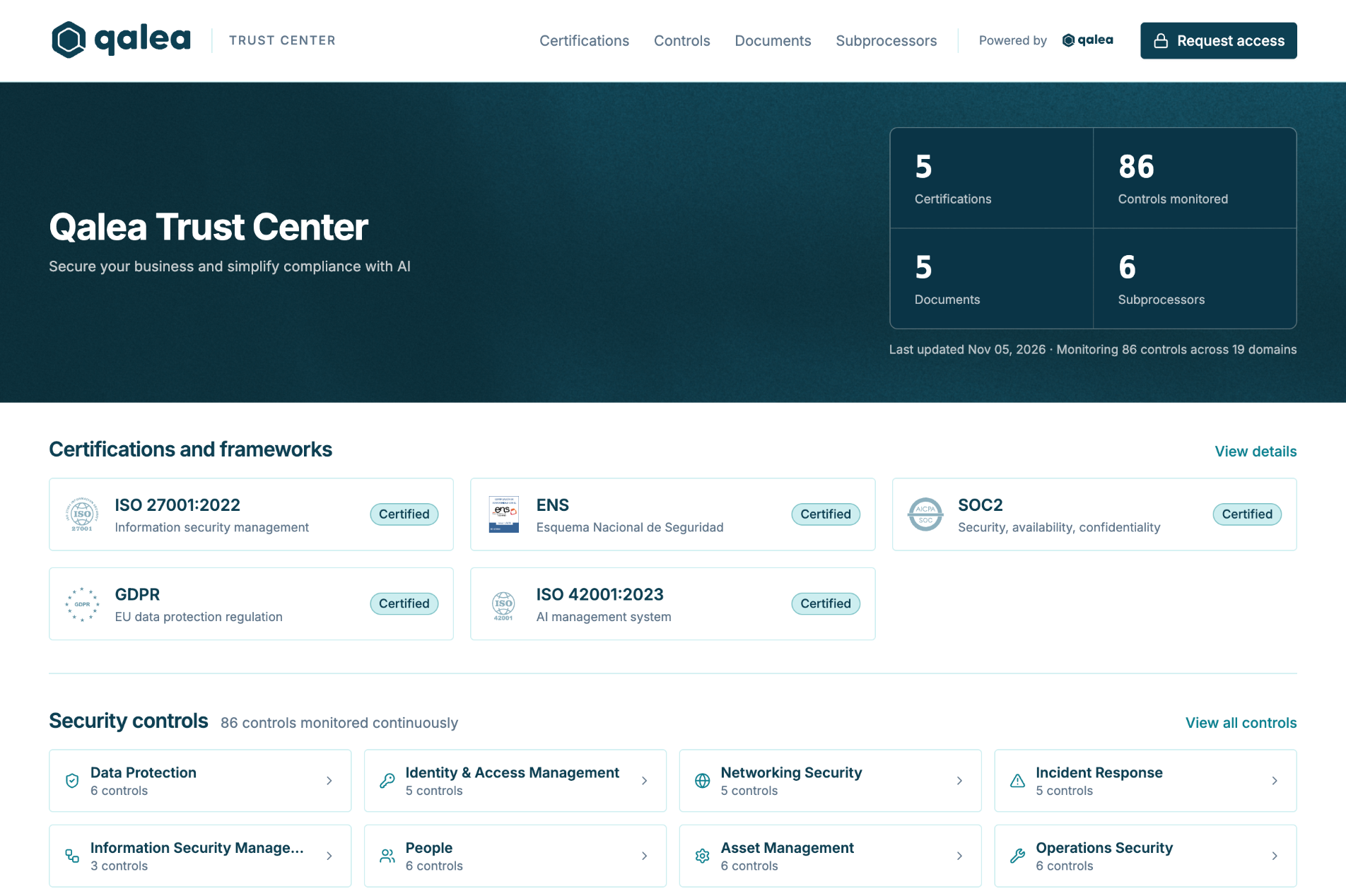
What your customers see
Certifications and frameworks. The certifications you hold and the frameworks you work with, such as ISO 27001 or ENS, at the top of the page.
Security controls. Linked to the platform, so the page shows the controls you have implemented. Until your controls are complete, you can keep this section hidden.
Documents. Public documents to download, and private ones available on request.
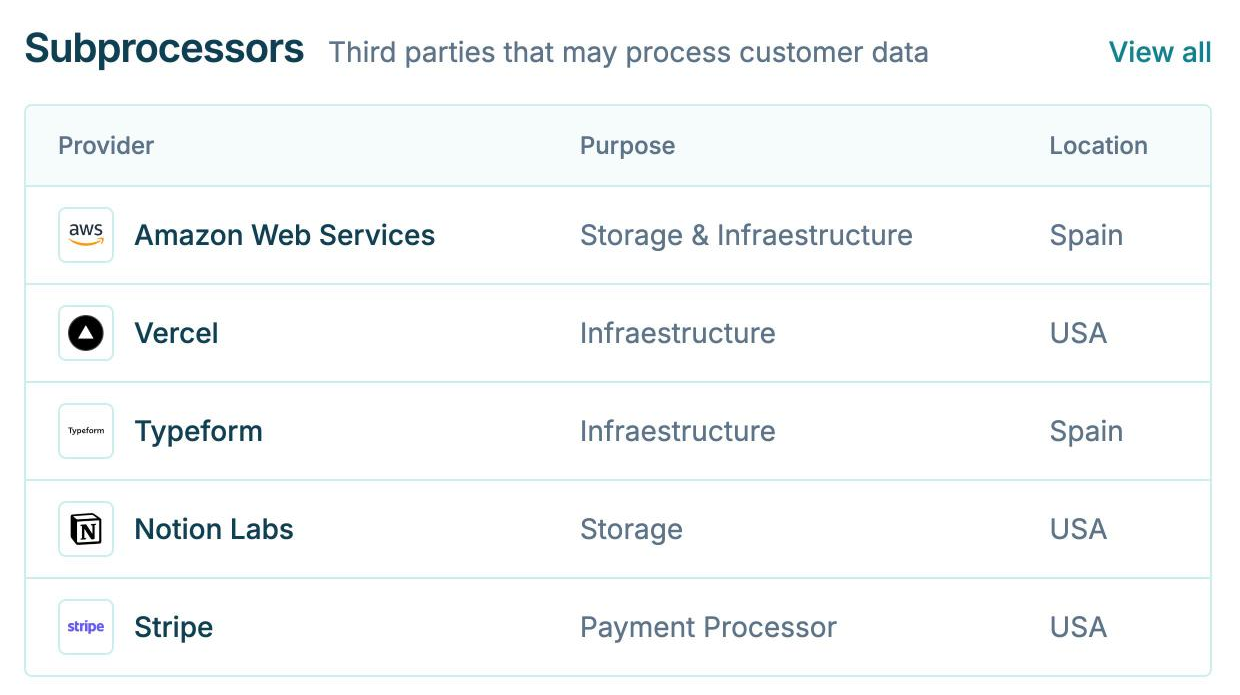
Subprocessors. The providers that process your customers' data, and where that data is hosted.
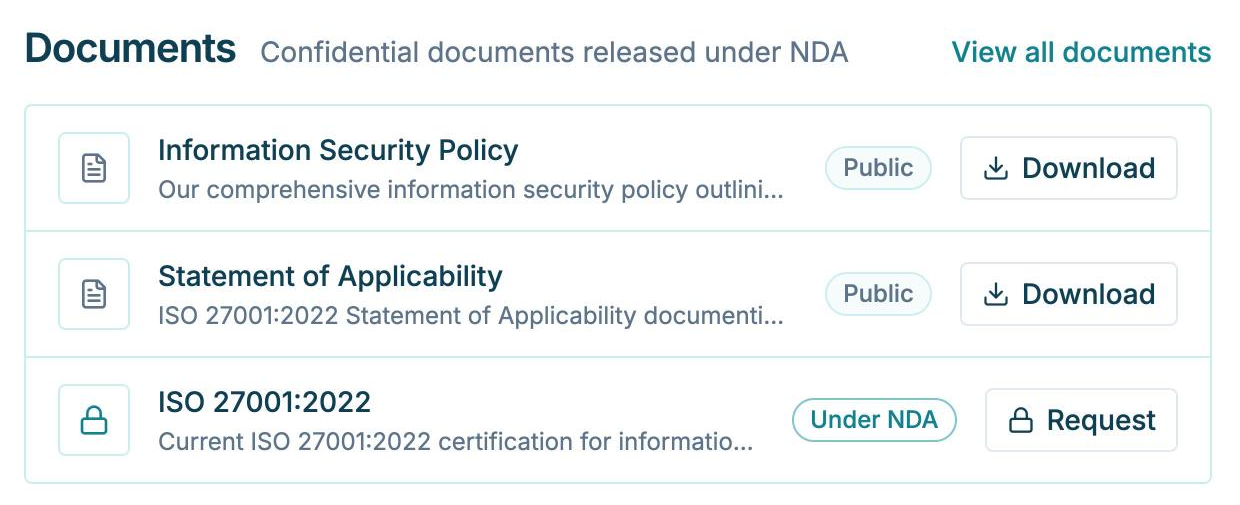
Public documents and documents under NDA
Public
Documents anyone can download directly from your Trust Center, such as your information security policy.
Under NDA
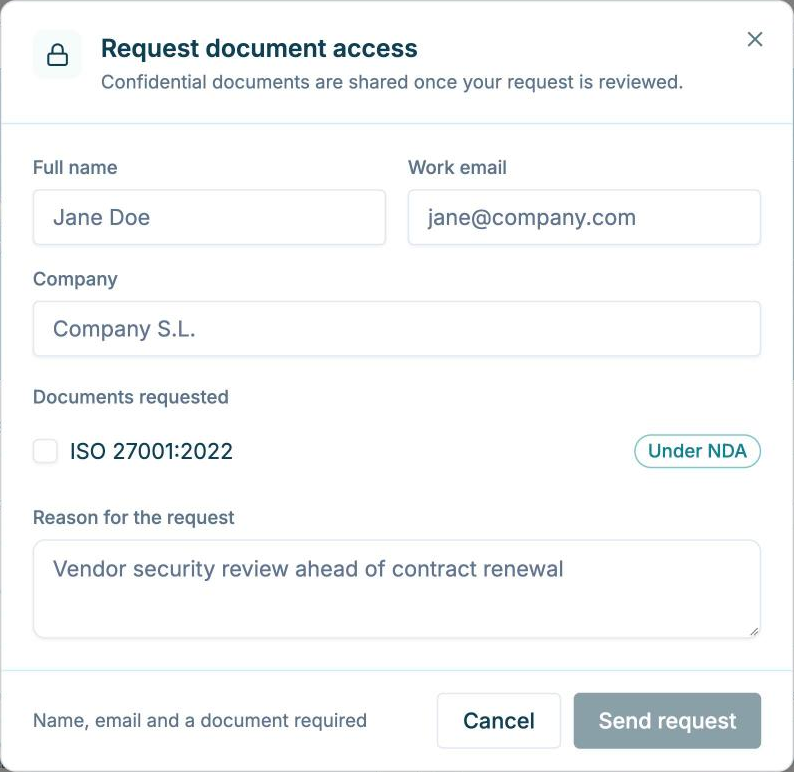
Certificates, the Statement of Applicability and other confidential documents. Visitors request them with a form (name, work email, company, documents and reason), and nothing is shared until the request is reviewed.
How a request is handled
Confidential documents are never downloaded directly. Every request follows the same four steps.
Request
A visitor requests one or several documents, with their name, work email, company and reason.
Receive
Your Security Manager receives the request and sends it to you.
Approve
You approve the request once the NDA is in place.
Share
The approved documents are shared with the requester.
Kept current by the platform
The Trust Center reads from the same platform where you run your compliance program. When a control is completed or a certification is renewed, the page shows it without anyone editing a website. The same controls and documents also prefill your security questionnaires.
Set up with your Security Manager
Your Security Manager sets up the page with you: your logo and tagline, the standards you show, whether the controls section is visible, and your subprocessors.
Then add a link in your website footer, under a section such as Security or Trust Center.
Trust Center questions, answered