


Keep every laptop updated, hardened and monitored
Qalea checks the OS updates and applications on each laptop, manages hardening through MDM Lite and monitors devices with EDR on Windows, macOS and Linux.
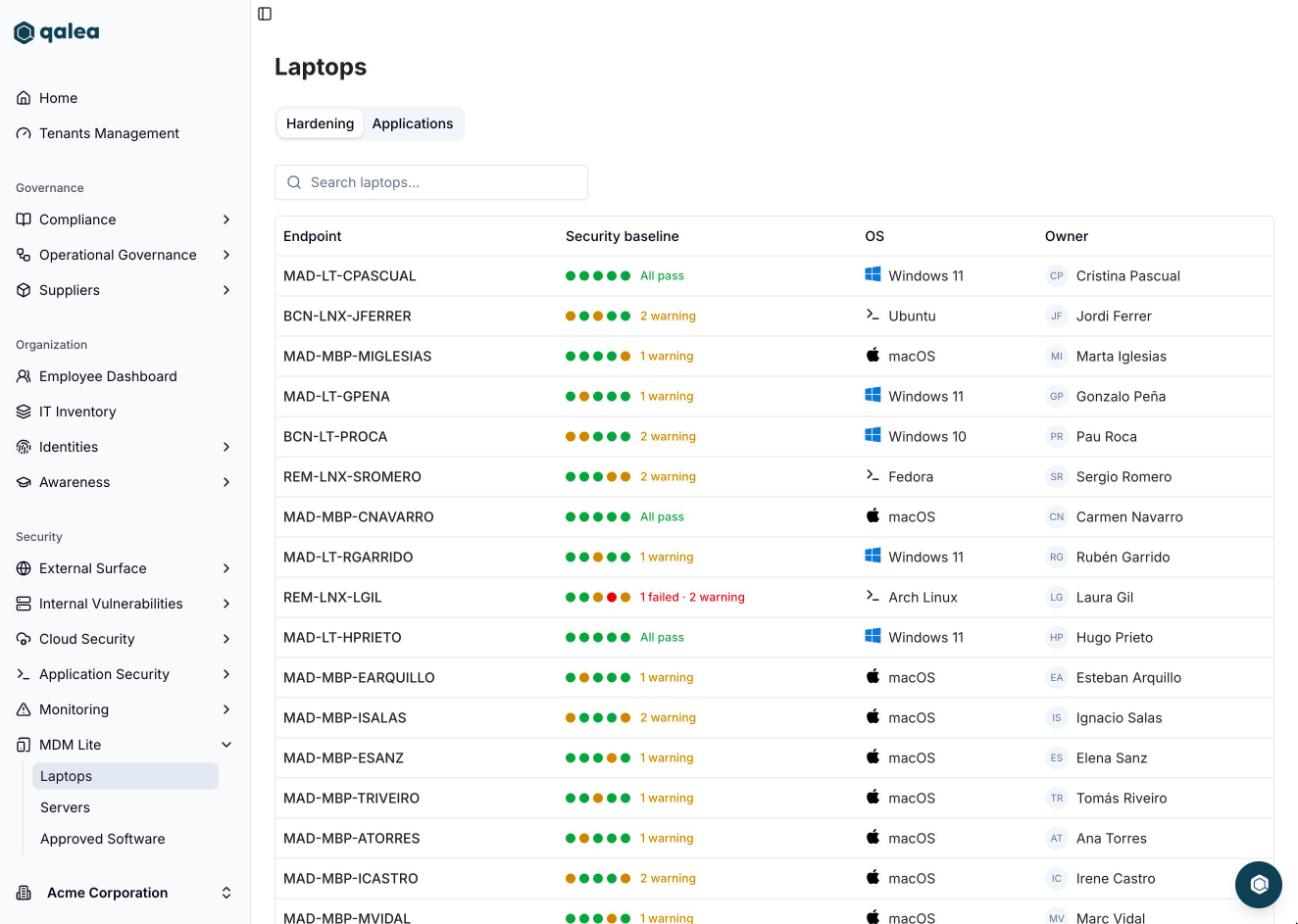
Five hardening checks on every laptop
Endpoint hardening means setting every device to a secure baseline. Qalea checks five settings on each laptop and applies them through MDM Lite on Windows, macOS and Linux.
Password policy
A device password that follows your policy.
Disk encryption
Data stays unreadable if a laptop is lost or stolen.
Screen lock
The screen locks when the laptop is left unattended.
Privilege protection
Administrator rights are protected on each device.
Firewall
The device firewall is on and stays on.
Detection and response on every device
Updates and applications. The OS update status of each device and the applications installed.
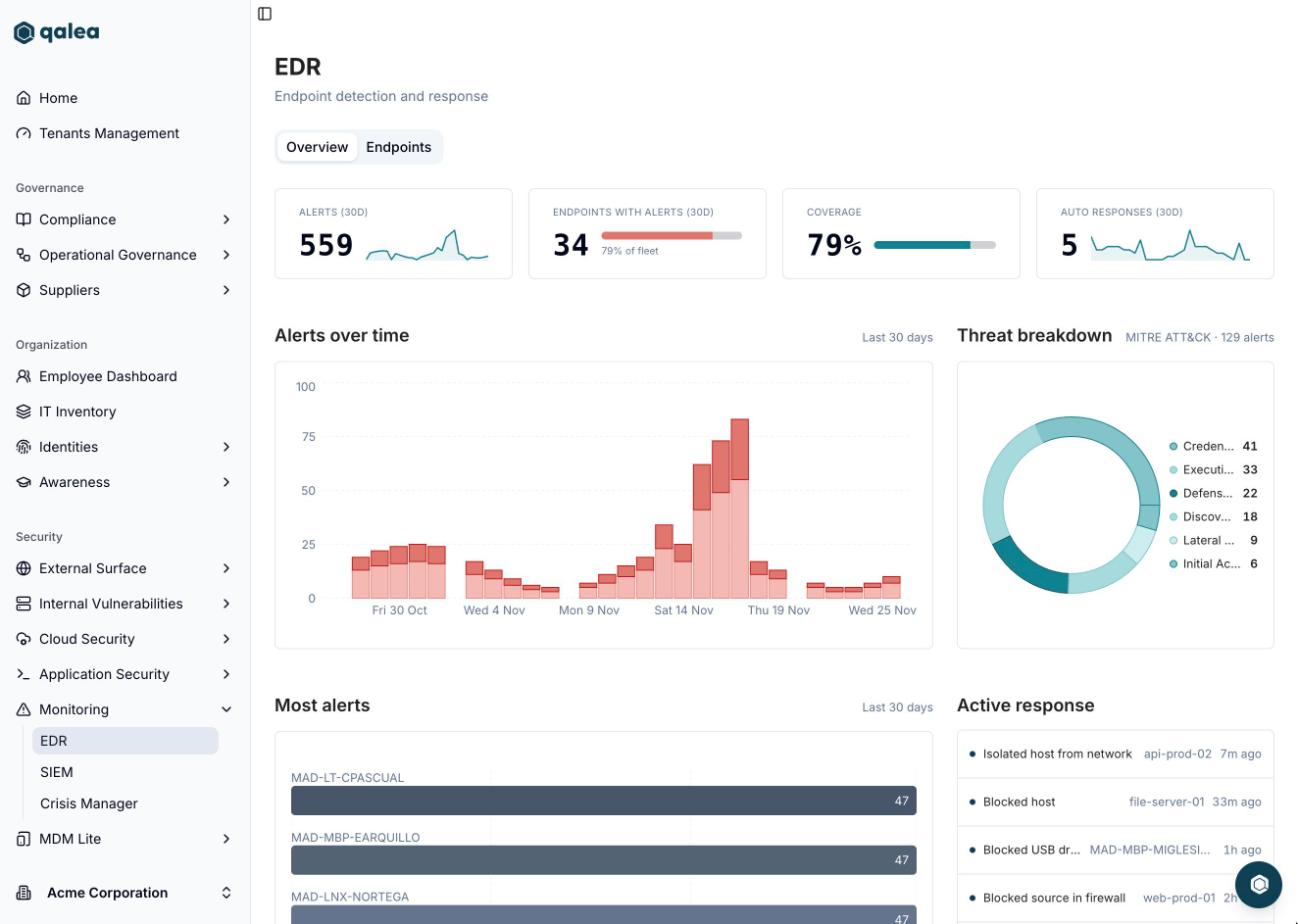
EDR. Endpoint detection and response on laptops and servers, with alerts by severity and the devices covered.
Evidence. Disk encryption, screen lock and endpoint monitoring are linked to the controls they cover, so the evidence stays current.
From install to monitoring
Install from the Employee Center
Employees install the EDR and MDM, with a guide for each tool.
Check each device
The security baseline shows which checks pass, warn or fail on each laptop.
Fix what fails
Hardening settings are applied through MDM Lite.
Monitor
EDR events reach the SIEM as alerts by severity.
Evidence for your frameworks
Endpoint protection and secure configuration are controls in ISO 27001, ENS, SOC 2 and NIS2. Device checks are linked to those controls in the platform.

ISO 27001

ENS

SOC 2

NIS2
Endpoint security questions, answered